WooCommerce SEO: How to Rank Your Store on Google

Vishal Arora
Founder, The Marketing Mavericks™ | October 2026 | 6 min read
WooCommerce SEO comes down to clean URLs, useful category and product pages, and control over the duplicate pages WooCommerce creates by itself. Set permalinks once, write unique copy, stop filter and tag URLs wasting crawl, keep the store fast and add Product structured data. The checklist below puts it in order.
On this page
Why WooCommerce Stores Struggle on Google
Out of the box, WooCommerce creates product tag archives, filter and sort URLs and add-to-cart links that search engines can crawl. Add a heavy theme and copied supplier descriptions, and you get thousands of weak URLs. WooCommerce's own SEO guidance is worth reading alongside the fixes below.
Set Clean Permalinks First
Go to Settings, then Permalinks. Use Post name for the main structure, then choose a product permalink:
- Default: /product/blue-linen-shirt/. Short, stable and the safest choice.
- Shop base: /shop/blue-linen-shirt/. Fine if you prefer the word shop.
- Shop base with category: /shop/shirts/blue-linen-shirt/. Avoid it. Products in two categories can resolve under more than one path, and URLs change when you recategorise.
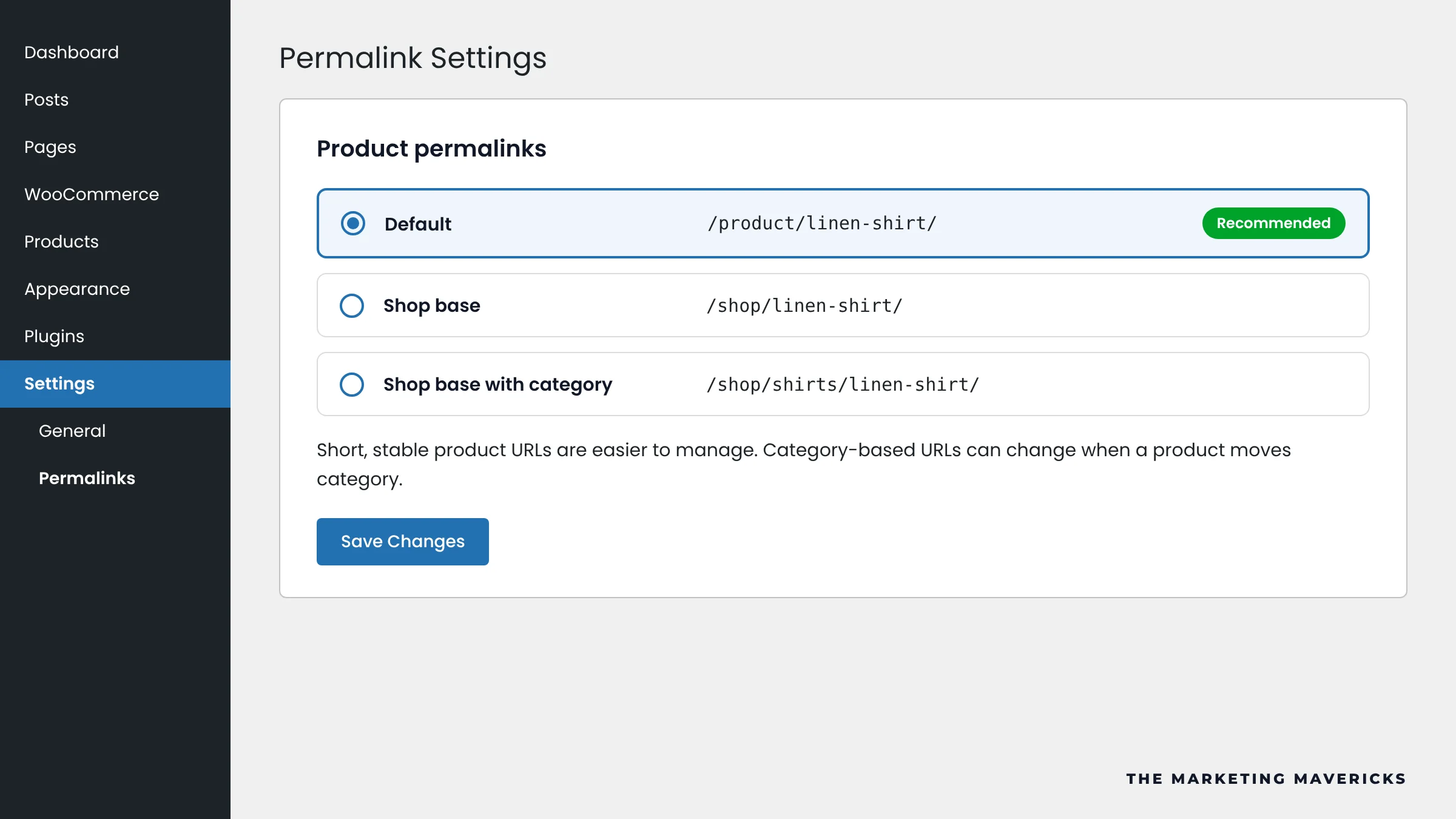
Keep category and tag bases short. Rank Math can remove these bases, but on an established store every changed URL needs a 301 redirect. Product slugs should be the product name plus a key attribute, in lowercase.
Make Category Pages Worth Ranking
Category pages target your biggest keywords, yet most themes show only a product grid. Give each one a unique title tag and meta description, a short intro above the grid on the range, sizes or materials, and links to related subcategories. Add the copy in the category description field under Products, then Categories.
Optimise Every Product Page
- Unique long description. Rewrite supplier copy covering materials, sizing, use and care. Copied text gives Google no reason to choose your page.
- Focused short description. The selling points shoppers scan beside the price.
- Title tag. Product name plus the attribute people search, such as colour or material.
- Images. Descriptive file names and alt text, compressed WebP files.
- Reviews. Ask buyers after delivery. Genuine reviews add fresh content and can earn star ratings in search.
Control Filter, Sort and Tag URLs
Filters and sort options add parameters such as ?orderby=price or ?filter_size=large. A few combined turn one category into thousands of duplicates.
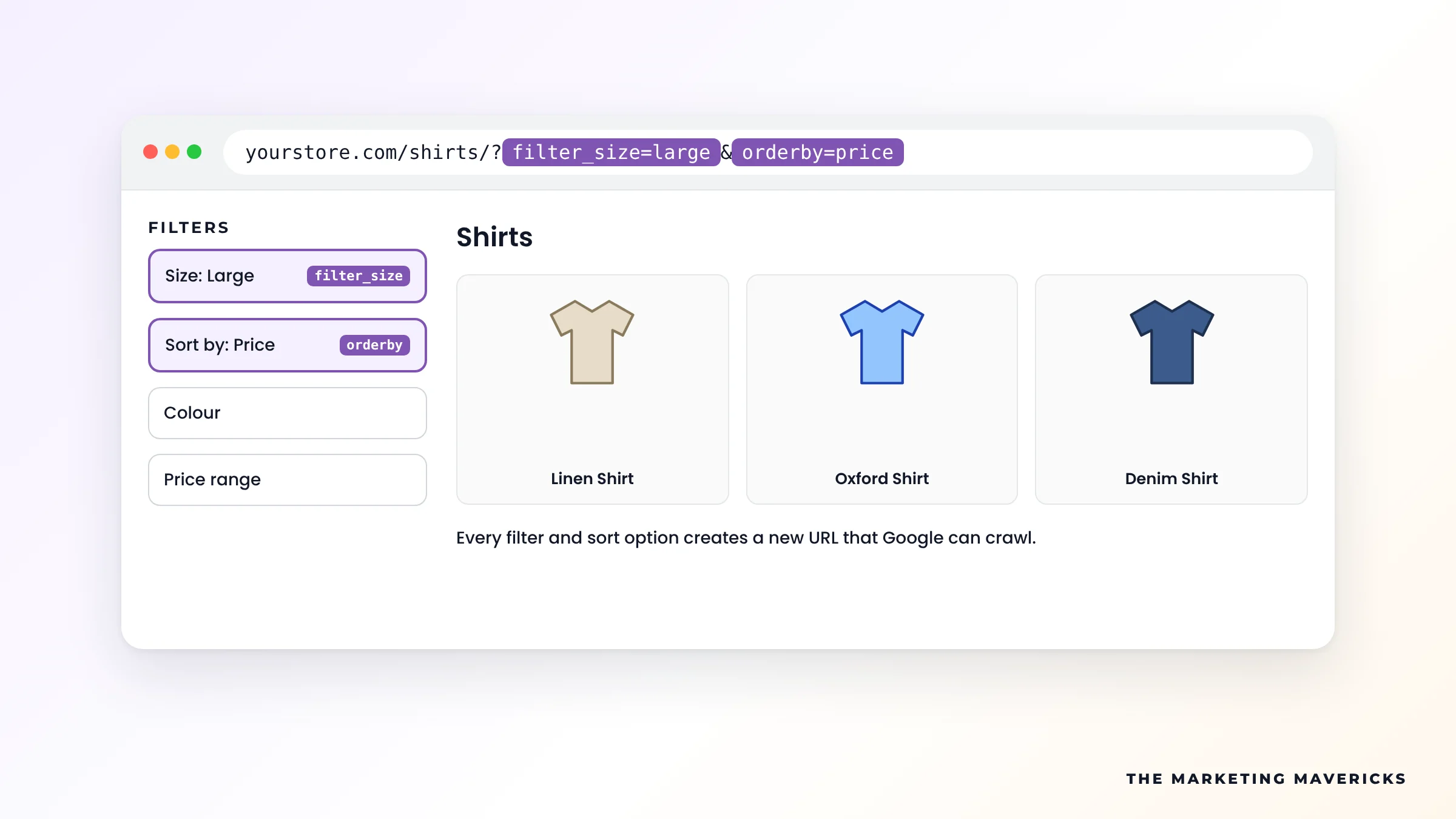
- Canonical tags. Filtered and sorted URLs should point to the clean category URL. Confirm with Search Console's URL Inspection tool.
- robots.txt. Block these parameters on new stores, or once they have left the index. Google cannot see a canonical or noindex on a URL it is blocked from crawling.
- Indexable filters. Only where real search demand exists, such as a popular brand, with its own copy.
User-agent: *
Disallow: /*?orderby=
Disallow: /*&orderby=
Disallow: /*?filter_
Disallow: /*&filter_
Disallow: /*add-to-cart=
Product tag and attribute archives create thin pages too. Noindex product tags in your SEO plugin and remove them from the sitemap, and only enable attribute archives you will write content for.
Handle Out-of-Stock and Discontinued Products
- Temporarily out of stock: keep the page live and let the structured data show it as out of stock.
- Discontinued with a replacement: 301 redirect to the closest product or the parent category.
- Discontinued with nothing similar: return a 404 or 410. Redirecting everything to the homepage is treated like a missing page anyway.
Speed, Hosting and Caching
WooCommerce is database heavy, so budget shared hosting struggles as the catalogue grows. Choose WooCommerce-ready hosting with server-level caching, cache product and category pages but never cart, checkout or account pages, and drop heavy themes and unused plugins. Test product templates in PageSpeed Insights, not just the homepage.
Structured Data, Sitemaps and Merchant Center
WooCommerce outputs basic Product markup. Rank Math or Yoast builds a fuller set: Product, Offer with price and availability, AggregateRating from genuine reviews and BreadcrumbList. Check product URLs in Google's Rich Results Test, and see our guide to schema markup for AI search.
The same plugins generate XML sitemaps. Submit yours in Search Console without noindexed archives. Then connect Google Merchant Center through the Google for WooCommerce extension, so products can appear in unpaid Shopping listings. Feed prices must match the product page.
Content That Answers Buyer Questions
Blog posts win the questions asked before a purchase: which size to choose, how two materials compare, how to care for a product. Answer each one and link to the matching category. Clear, factual pages with specs in tables are also what Google AI Mode and ChatGPT quote when shoppers ask for product advice, the focus of generative engine optimisation.
Common WooCommerce SEO Problems and Fixes
| Problem | Why it holds you back | Fix |
|---|---|---|
| Filter and sort URLs | Duplicate URLs waste crawl | Canonical, then robots.txt |
| Category in product URLs | One product, several URLs | Default /product/ base |
| Supplier descriptions | Same text as other stockists | Rewrite in your own words |
| Empty category pages | Nothing to rank beyond a grid | Unique title, meta and intro |
| Tag archives | Thin pages in the index | Noindex or delete |
| Deleted products | Lost links and 404s | 301 to the closest page |
| Slow theme and plugins | Poor Core Web Vitals | Better hosting, fewer plugins |
WooCommerce SEO Checklist
Tick what is true for your store today
Tick each statement that is true today to see where you stand.
Prefer to hand it over? Our SEO services cover WooCommerce stores end to end, and our SEO portfolio shows the work behind them.
Frequently Asked Questions
Is WooCommerce or Shopify better for SEO?
Neither ranks better by default. WooCommerce gives full control over URLs, robots.txt and hosting, but you own speed and maintenance. Shopify handles hosting and launches quickly, but its /products/ and /collections/ paths are fixed. Both rank well when content and structure are right.
Should I noindex product tag pages?
Usually, yes. Tag archives tend to repeat products already in your categories. Keep one indexable only if it targets a real search term and has its own content.
Does WooCommerce add product schema on its own?
Yes, basic Product markup with price and availability. An SEO plugin adds fuller markup and breadcrumbs. Confirm the output in the Rich Results Test.
Which SEO plugin is best for WooCommerce?
Rank Math and Yoast both handle titles, sitemaps, canonicals and product schema well. Pick one and never run two SEO plugins together.
How long does WooCommerce SEO take to work?
Technical fixes often show in Search Console within weeks as Google recrawls. Ranking gains in competitive categories usually take several months of steady content and link building.
Want Your WooCommerce Store Ranking on Google?
We fix the technical issues, build the pages and track rankings for WooCommerce stores worldwide.
Talk To Our Team →